
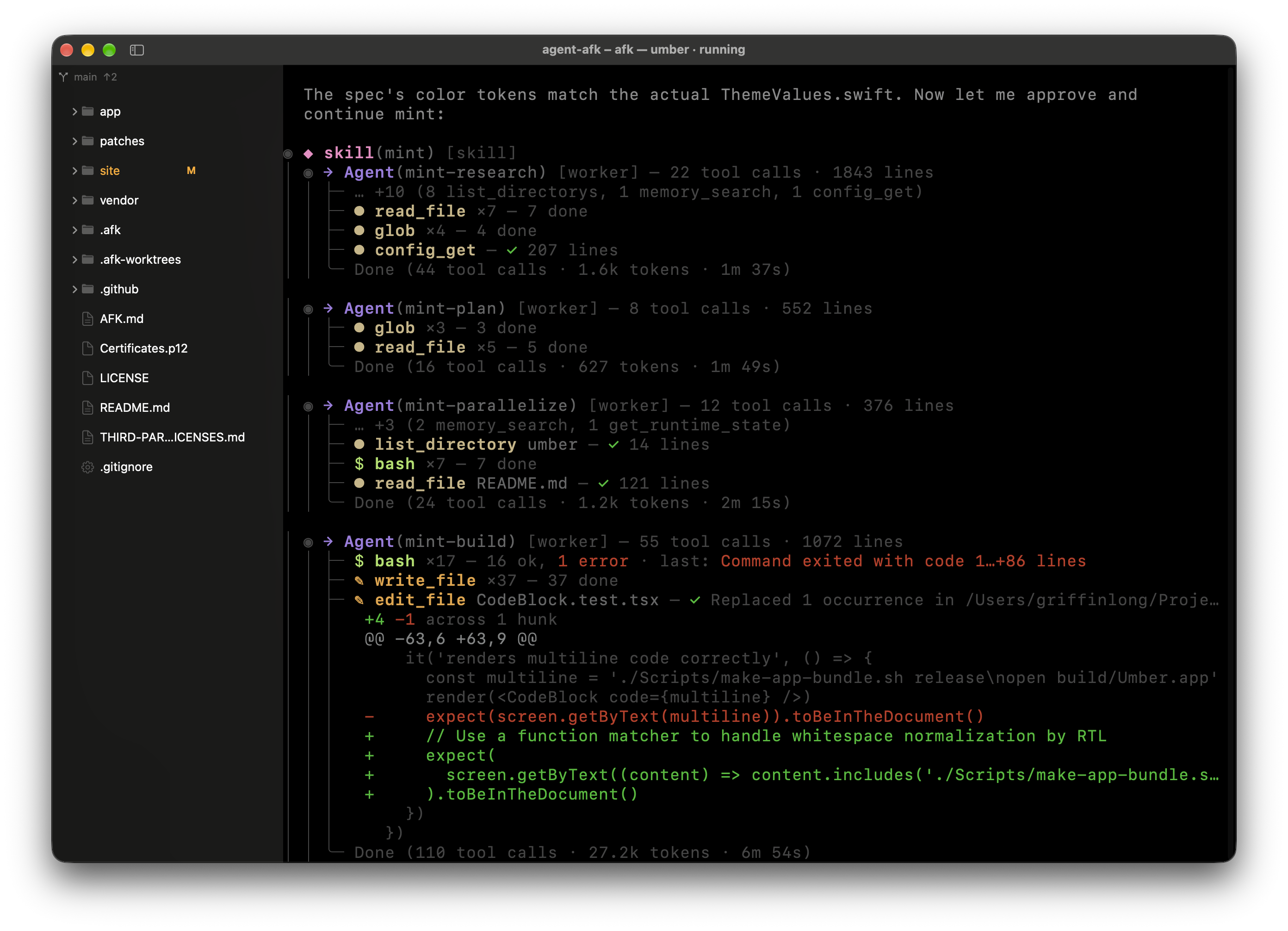
Zero-Overhead Host
Swift and AppKit — no Electron, no V8, no renderer process. Your agents get the RAM. Launches instantly and stays out of the way.
August 25, 2026 — eight measured themes, system appearance following, split-pane dimming, and typography controls.
Catppuccin Mocha, Nord, and Dracula — ported verbatim from their upstream specs and gated by the contrast harness (474 assertions).
"preset": "catppuccin-mocha"Follow macOS appearance automatically. Umber switches between a dark and light palette when System Settings changes.
"preset": "auto"Unfocused split panes dim to visually distinguish the active pane. Fully configurable.
"unfocusedPaneOpacity": 0.85Font dilation for white-on-black text (the same technique Terminal.app uses) and configurable line height.
"fontThicken": true, "lineHeight": 1.2Configurable inner margin around terminal content with seamless background color matching.
"padding": 8The best terminal agents run in your shell, not in a browser. Umber gives them a fast, native host that stays out of their way.
Anthropic's terminal-native coding agent. Runs entirely in your shell.
OpenAI's CLI agent for code generation and multi-file edits.
Autonomous agent runtime with daemon, Telegram, and REPL surfaces.
Terminal agent framework with tool use and conversation memory.
agents run in terminals — the terminal shouldn't compete with them for CPU, RAM, or your attention.
OSC 133 command tracking — see which agent task succeeded or failed at a glance, across every tab.
Split panes — run an agent and its supervisor side by side. ⌘⇧\ to split, ⌘⇧H/J/K/L to navigate.
Dual engines — SwiftTerm or libghostty, same window. Pick the emulator that fits the workload.
No AI built in — on purpose. The intelligence belongs to your agent, not the terminal chrome.
Swift and AppKit — no Electron, no V8, no renderer process. Your agents get the RAM. Launches instantly and stays out of the way.
One Space per project root. Multiple agent sessions inside. Switch projects without losing context — real macOS window tabs, not a custom layer.
Browse files alongside the terminal with git status badges on every row. See what your agent changed without leaving the window.
Eight palettes tested for readability — every color verified against contrast standards. Includes Catppuccin Mocha, Nord, and Dracula. Long sessions reading agent output stay legible.
Switch between Metal (GPU-accelerated) and Core Text rendering with one config line and ⌘R. High-throughput agent output stays smooth.
Background tabs show a green dot when a command succeeds, red when it fails. OSC 133 shell integration — no polling, no tab switching.
Open files from the sidebar into editor tabs that sit alongside your terminals. Syntax highlighting, code folding, symbol outline, multi-cursor — enough to review and edit without switching apps.
Each project gets its own Space with a full file tree, git status, and as many terminal tabs as you need. Your agents see the same directory structure you do.
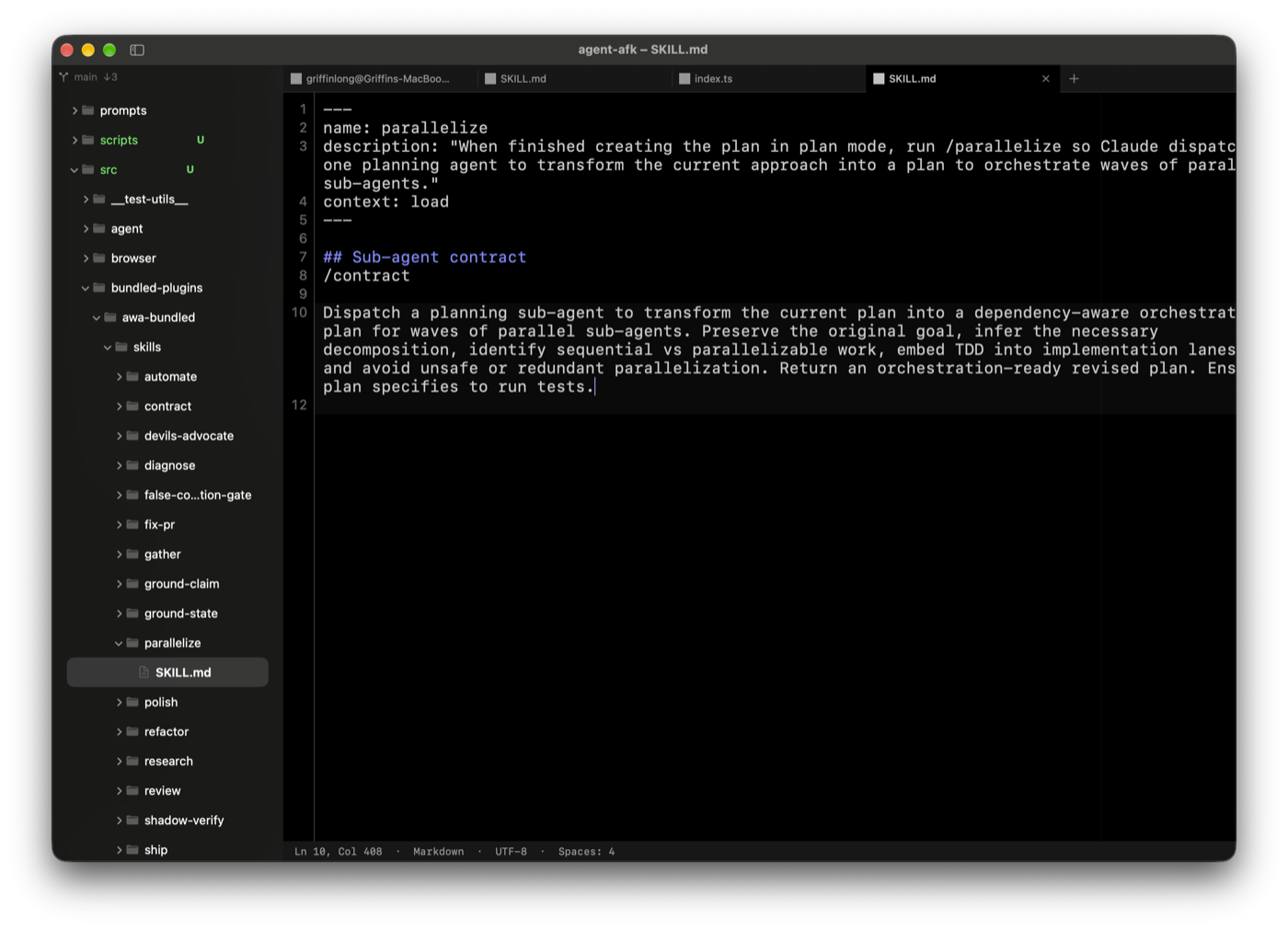
Open files from the sidebar directly into a syntax-highlighted editor tab. Review what your agent wrote, make a quick fix, and get back to the terminal — no app switching.
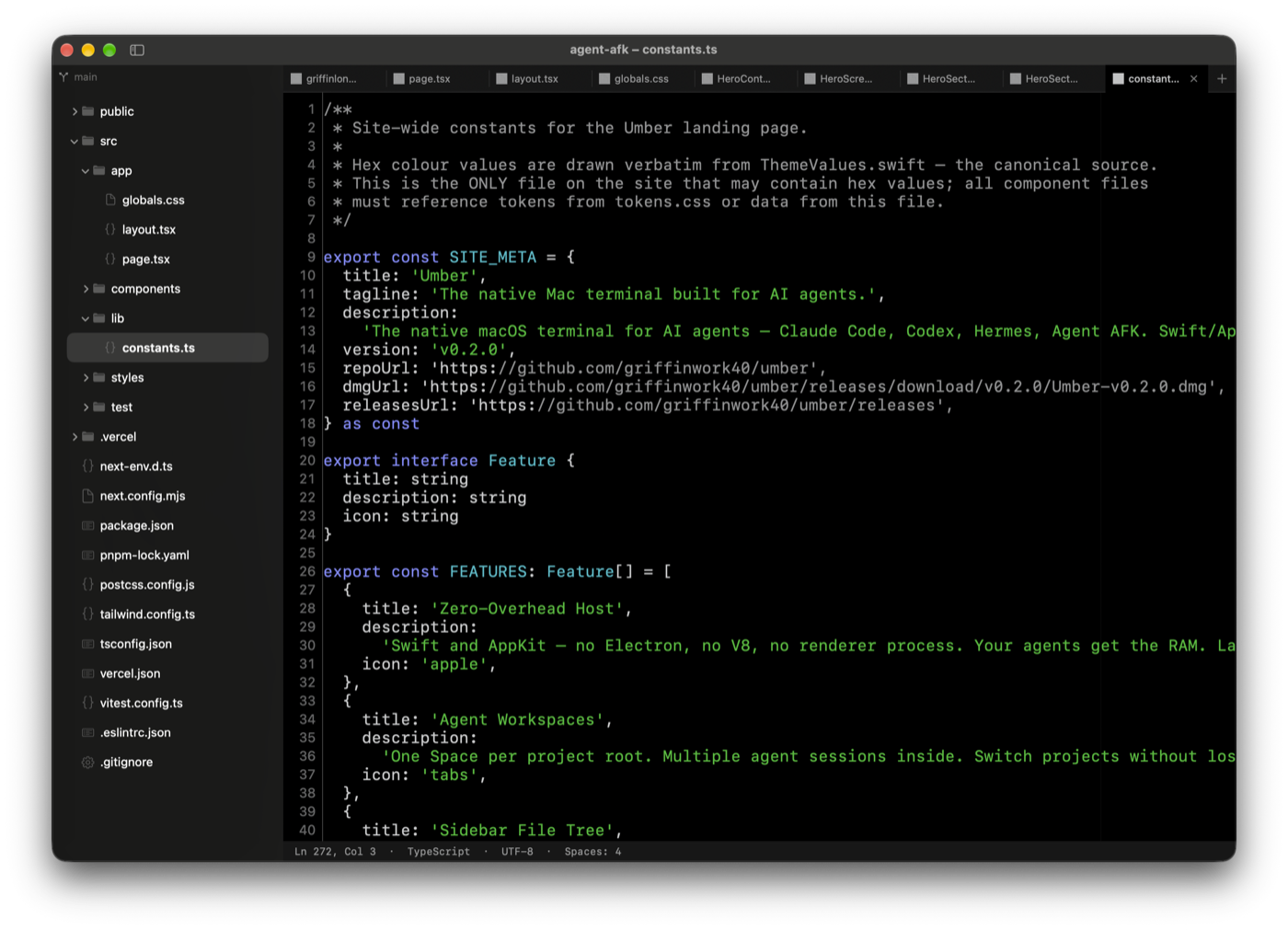
23 languages out of the box — Swift, TypeScript, Python, Rust, Go, Markdown, and more. Tree-sitter grammars with scope-aware token coloring.
⌘⇧P fuzzy-filters every app command. ⌘⇧O jumps to symbols. ⌘L goes to a line number. All keyboard-driven, no mouse required.
Indent-based fold and unfold with ⌘⌥[ and ⌘⌥]. Sticky scroll keeps the enclosing scope visible. Bracket pair highlighting.
⌘D selects the next occurrence. Full multi-cursor support for parallel edits across a file — the same muscle memory as VS Code.
Five palettes ship out of the box. Each is gated by 345 contrast assertions.